This guide is for those who are wanting to process casual employees and pay them out at the end of their employment instead of paying them as they go in each pay period. i.e., they accumulate 8% of their gross earnings and are paid it out as a lump sum rather than every period.
Please note: This method of paying casual employees is not compliant, and they should be paid regularly as they go. For setting up casual employees compliantly, and so that they are paid as they go, simply change their "Default Entitlement Settings" so that the left-hand side option is "Pay As You Go" & "8%" instead of "Accrue Leave".
Update the Employee’s Annual Leave Settings
Go to "Employee Settings", then "Employee Details".
Select the employee.
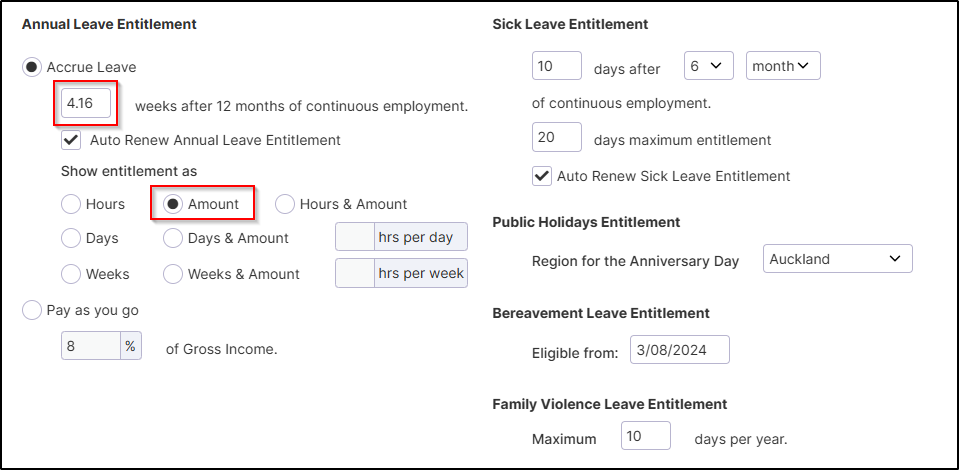
Click "Default Entitlement".
Set this to "Accrue Leave", but enter 4.16 weeks instead of 4.
This is calculated as 8% × 52 weeks = 4.16 weeks.
Set "Show Entitlement as" to "Amount".
Update the Leave Pay Rate Settings
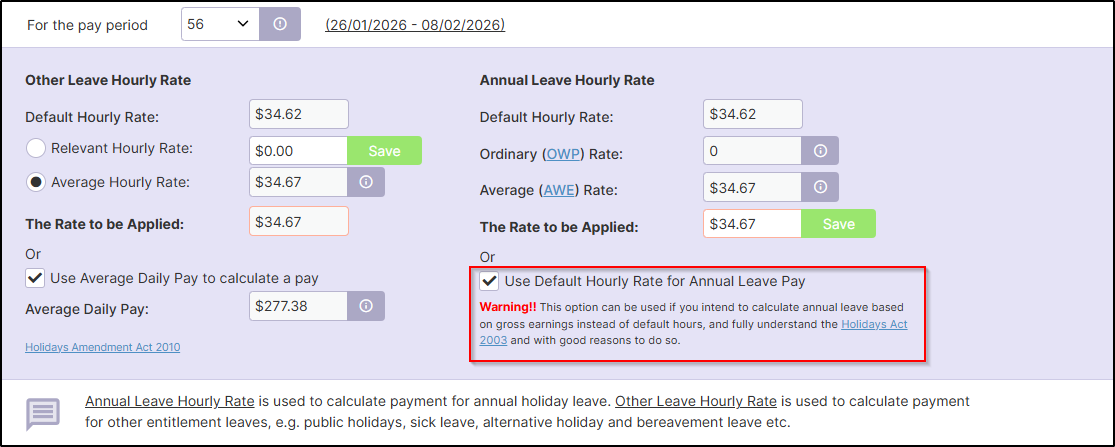
Go to "Process a Pay", then "Leave Pay Rate".
Tick the "Use Default Hourly Rate for Annual Leave Pay" box.
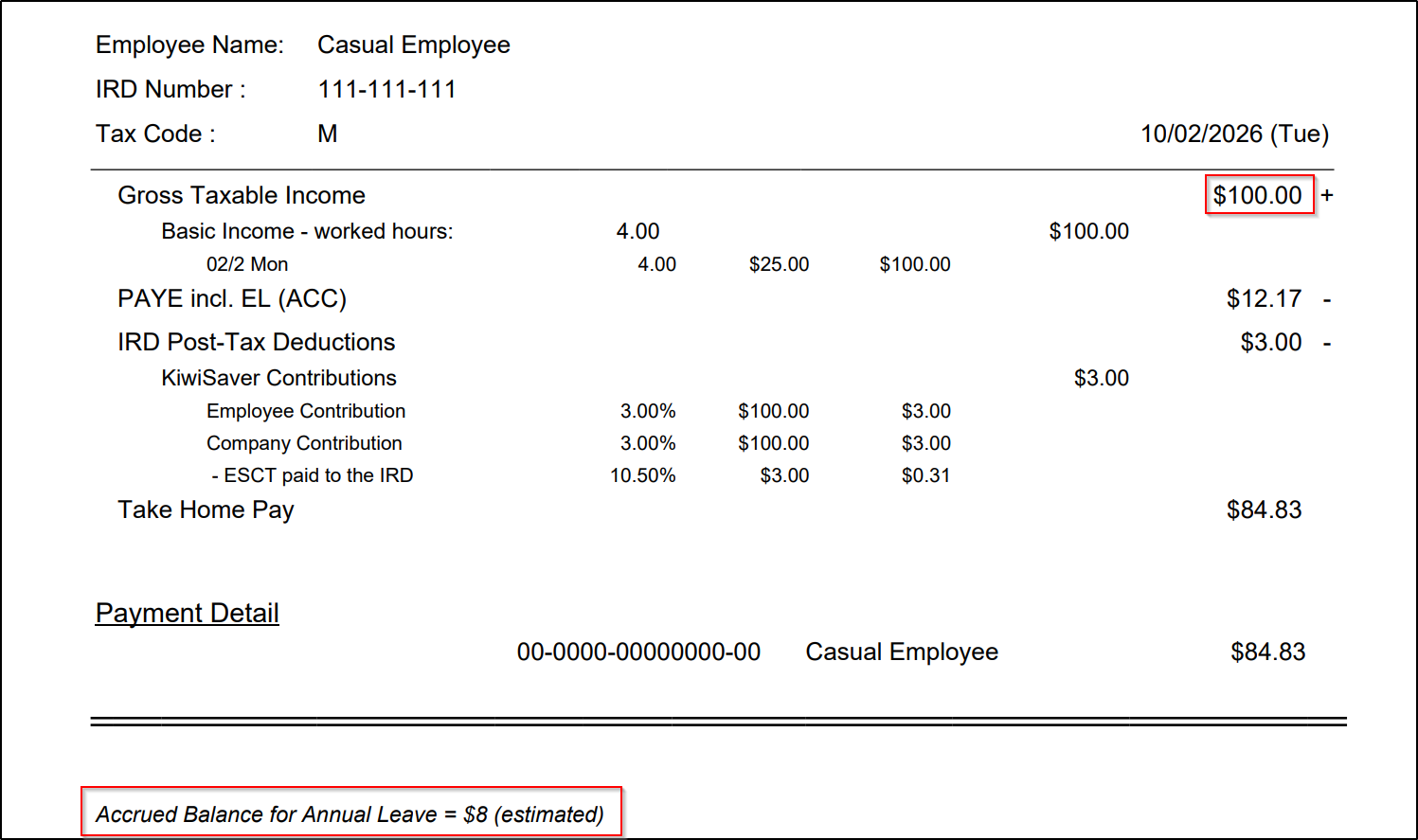
Example Payslip
8% of $100 = $8
Was this article helpful?
That’s Great!
Thank you for your feedback
Sorry! We couldn't be helpful
Thank you for your feedback
Feedback sent
We appreciate your effort and will try to fix the article