在处理 WINZ repayments 或 Ministry of Justice deductions 时,这些必须设置为 “Regular Deduction”。
WINZ repayment 和 Ministry of Justice deduction 项目设置为遵循 "Protected Net Earnings" 规则,以确保扣除金额不会超过其净收入的 40%。
Step 1: Navigate to the Employee
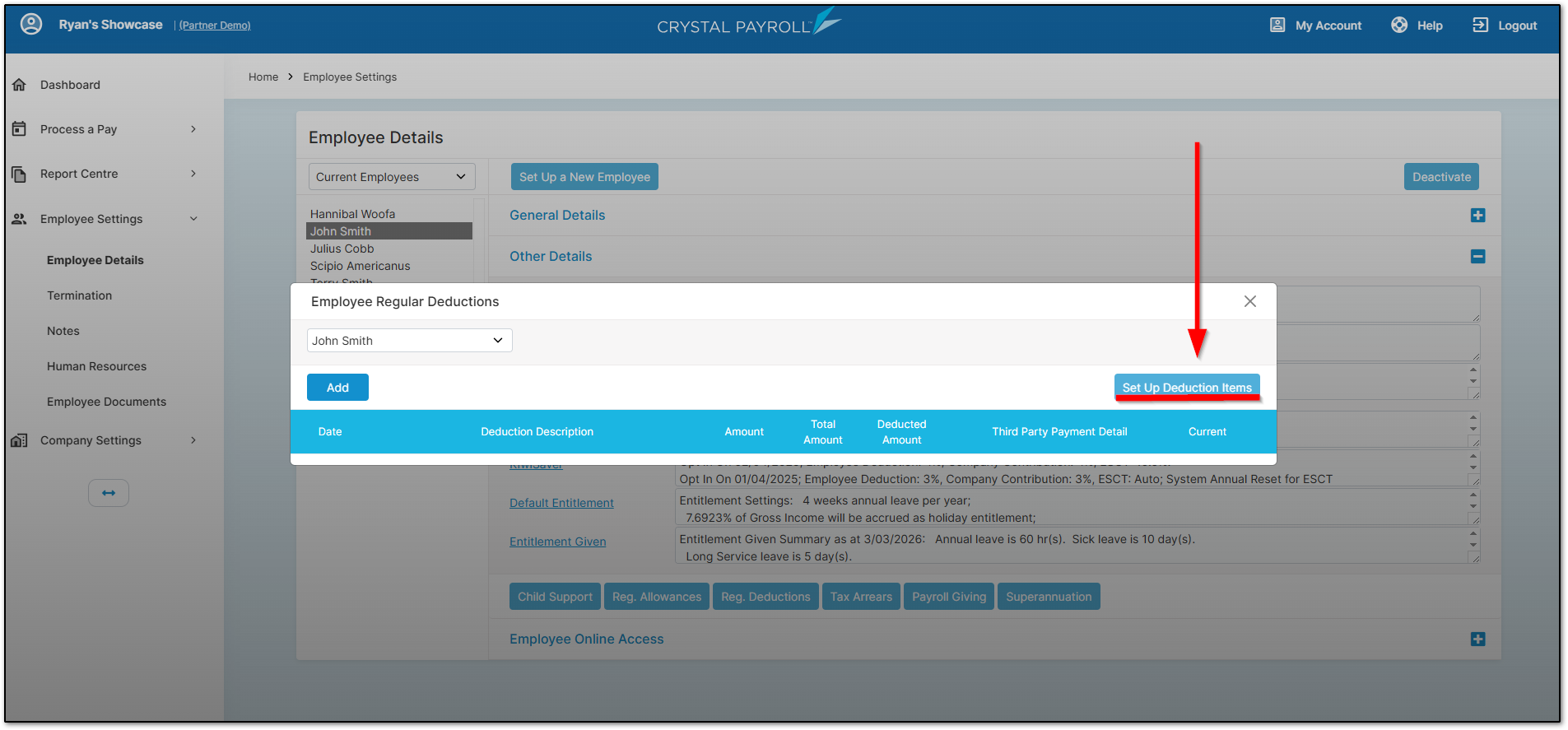
选择 "Employee Settings",然后选择 "Employee Details"。从左侧选择员工,然后在 "Other Details" 下选择 "Reg Deductions"。
请确保选择了正确的员工,然后点击 "Set Up Deduction Items"。
Step 2: Add the Deduction Item
将 "WINZ Repayment" 或 "Ministry of Justice" 项目移动到右侧。
要执行此操作,请点击左侧的项目,然后点击指向右侧的箭头。
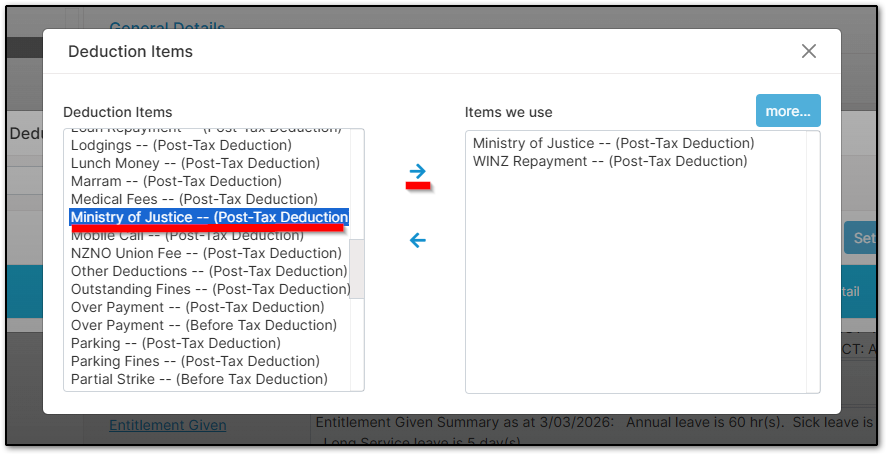
关闭该页面,然后在原始页面上点击 "Add" 按钮。
这将带您进入可以配置 WINZ repayment 或 Ministry of Justice deduction 项目的页面。
Step 3: Configure the Deduction
确保 "Start Date" 设置正确,并选择相应的 deduction 项目。
同时确保启用了 "Pay to Third Party" 选项。
根据信件中提供的详细信息填写相关字段。
当您选择 "WINZ Repayment" 或 "Ministry of Justice" 时,银行账户将自动填充。
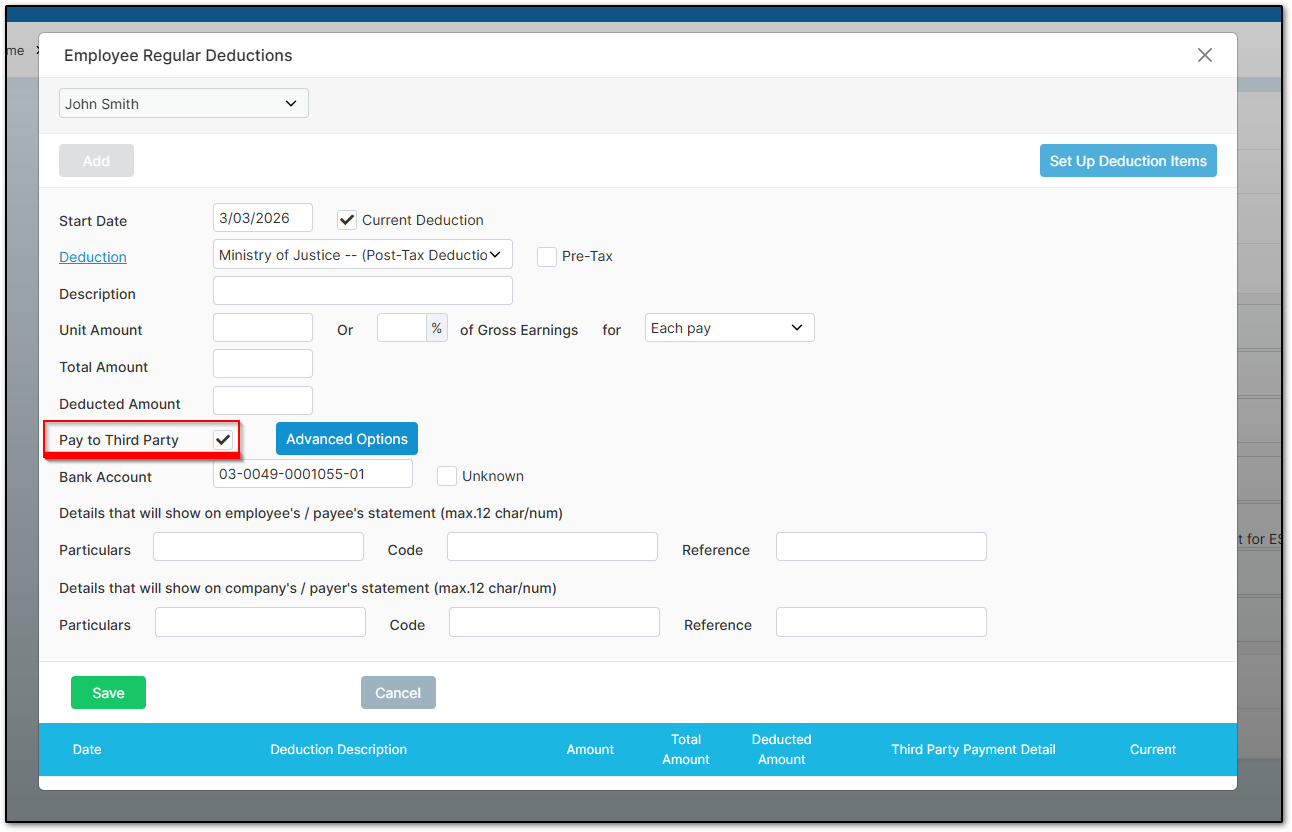
在输入完所有相关信息后,选择 "Save"。
Final Step
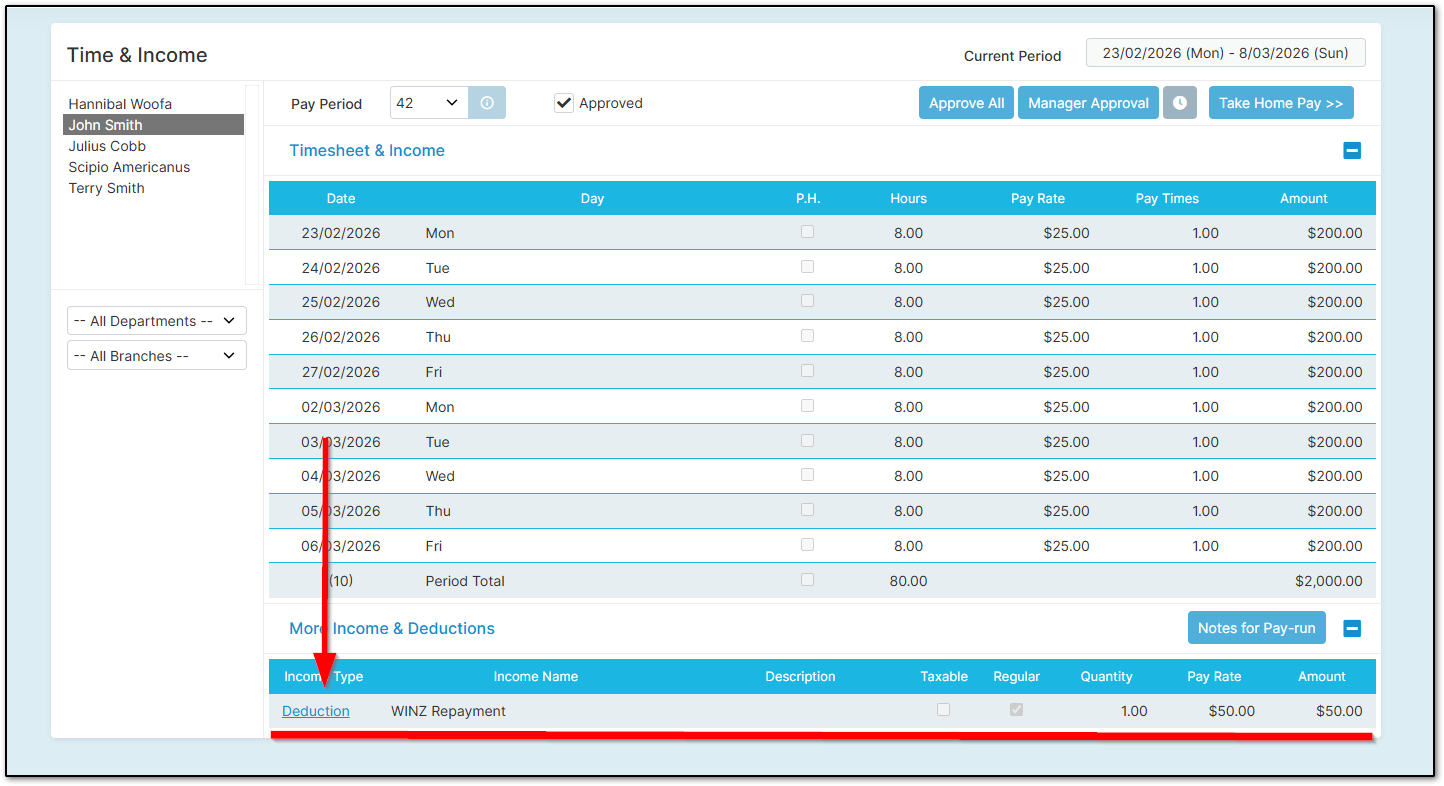
成功操作后,在批准 "Time & Income" 页面之后,"WINZ Repayment" 或 "Ministry of Justice" 项目将出现在页面底部。
这篇文章有帮助吗?
很好!
感谢您的反馈。
抱歉我们没能带来帮助
感谢您的反馈。
反馈已发送
感谢,我们将试着改善此文档。