Generate Payslips Across Multiple Pay Periods
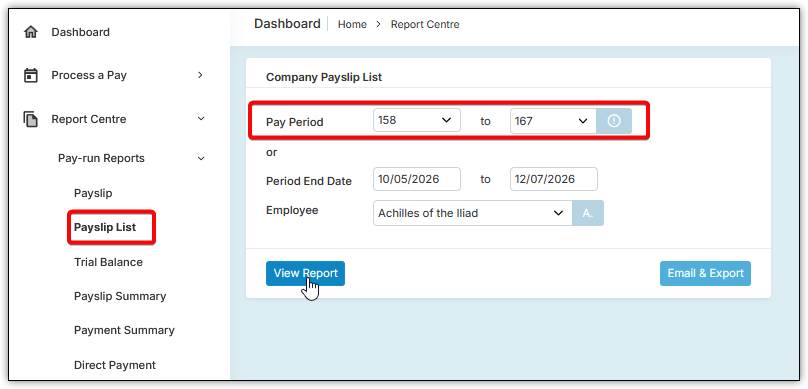
You can generate payslips for a specific employee or all employees across a range of pay periods by going to “Report Centre”, “Pay-run Reports”, and then “Payslip List”.
Select the “Pay Period” range, choose all employees or a specific employee, and then view the report.
Please note: The payslips will include base payslip information only. They will not include leave balances, earnings history, or KiwiSaver history.
Was this article helpful?
That’s Great!
Thank you for your feedback
Sorry! We couldn't be helpful
Thank you for your feedback
Feedback sent
We appreciate your effort and will try to fix the article